A Form That Looks Like Your Business
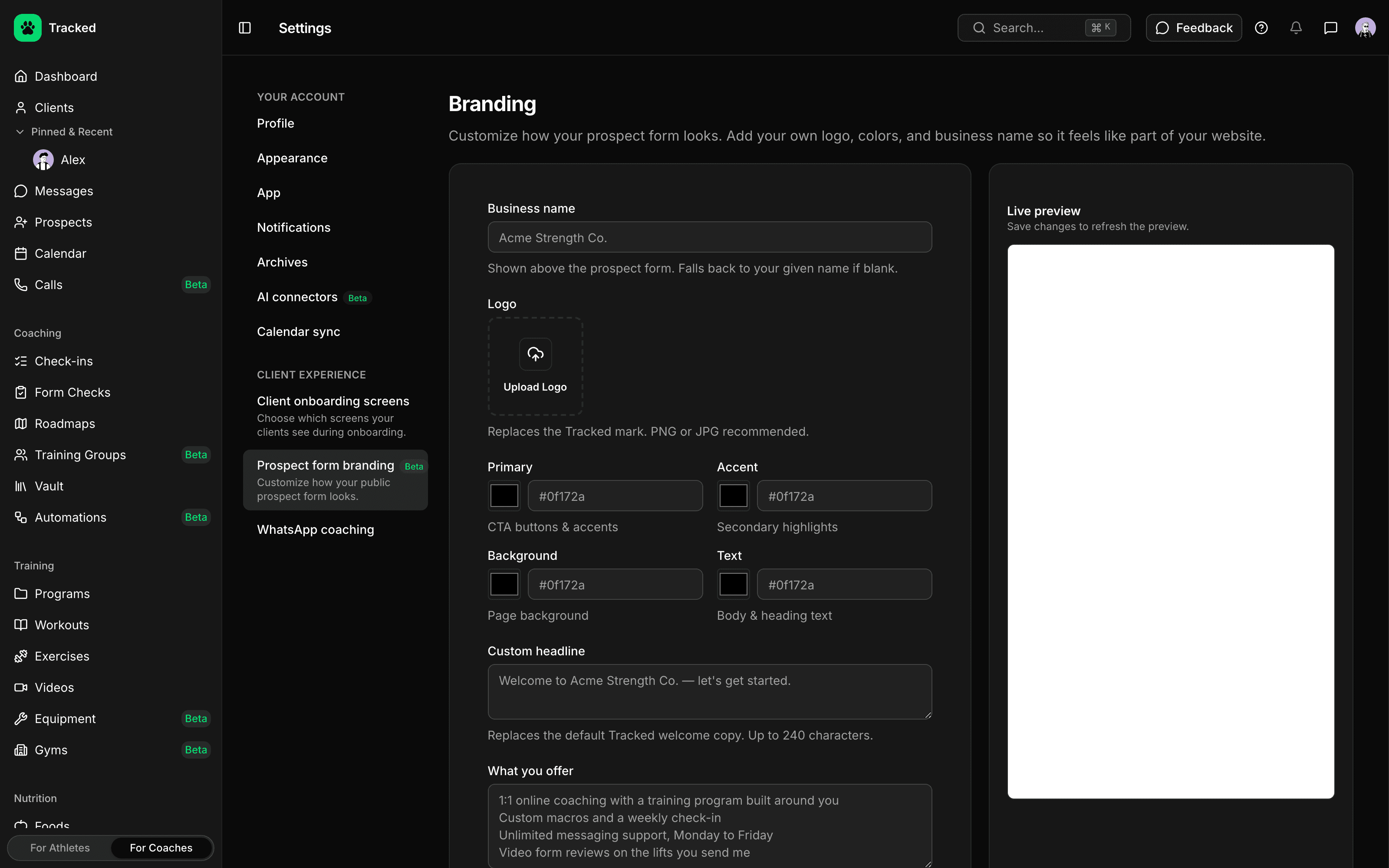
Prospects see your brand, not ours. Add your business name, logo and colors, plus a headline and a short intro to what you offer before the questions start.
- Your business name and logo in place of the Tracked mark
- Primary, accent, background and text colors
- A custom headline and an intro to what you offer
- Preview the form right from your branding settings
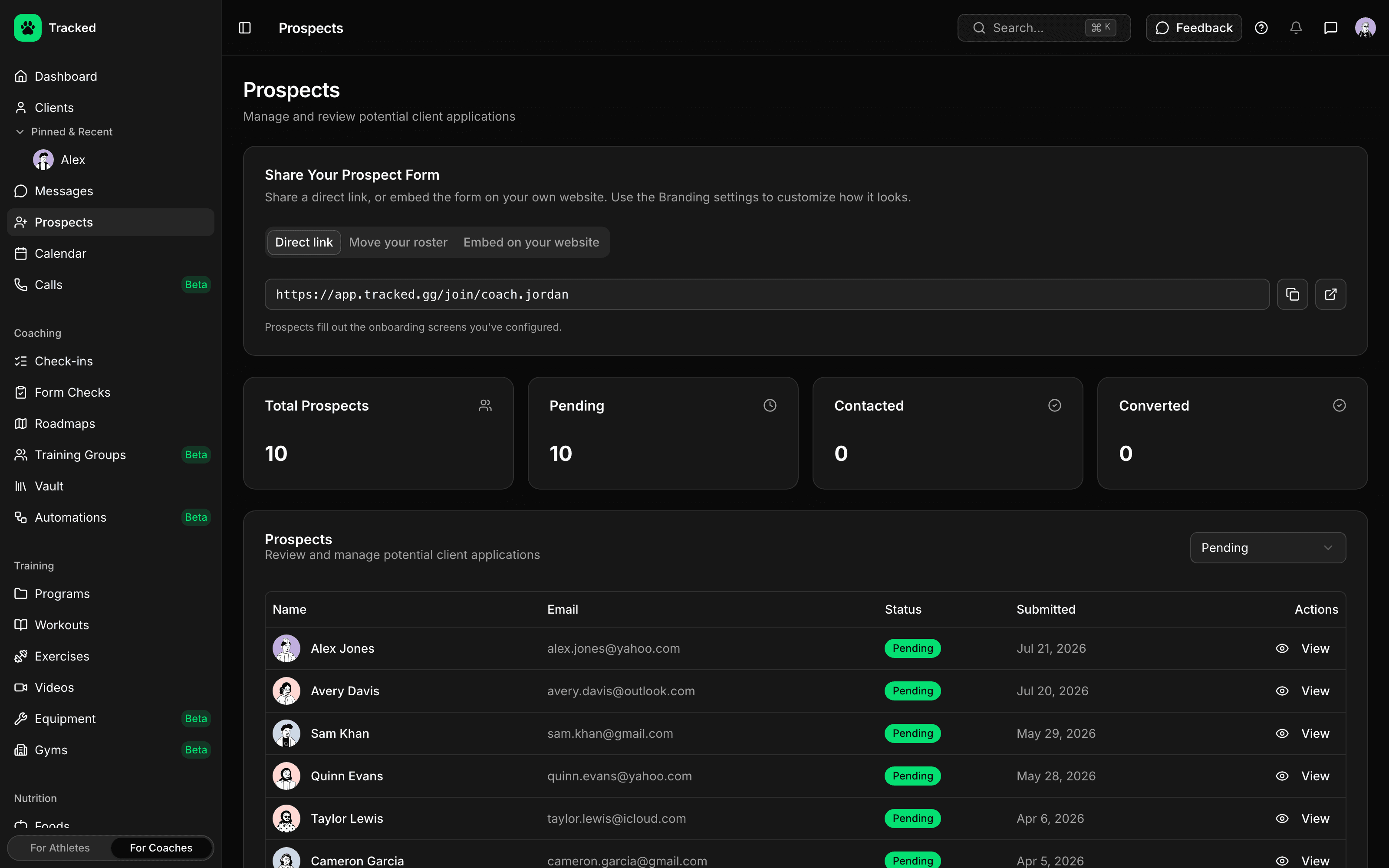
Link It or Embed It
Send prospects a direct link, or paste one snippet into any page on your website.
- Your own application link, built from your username
- Embed snippet that resizes itself to fit the form
- Choose which websites are allowed to embed your form
- UTM parameters saved with every application, so you know where leads come from
Ask What You Need to Know
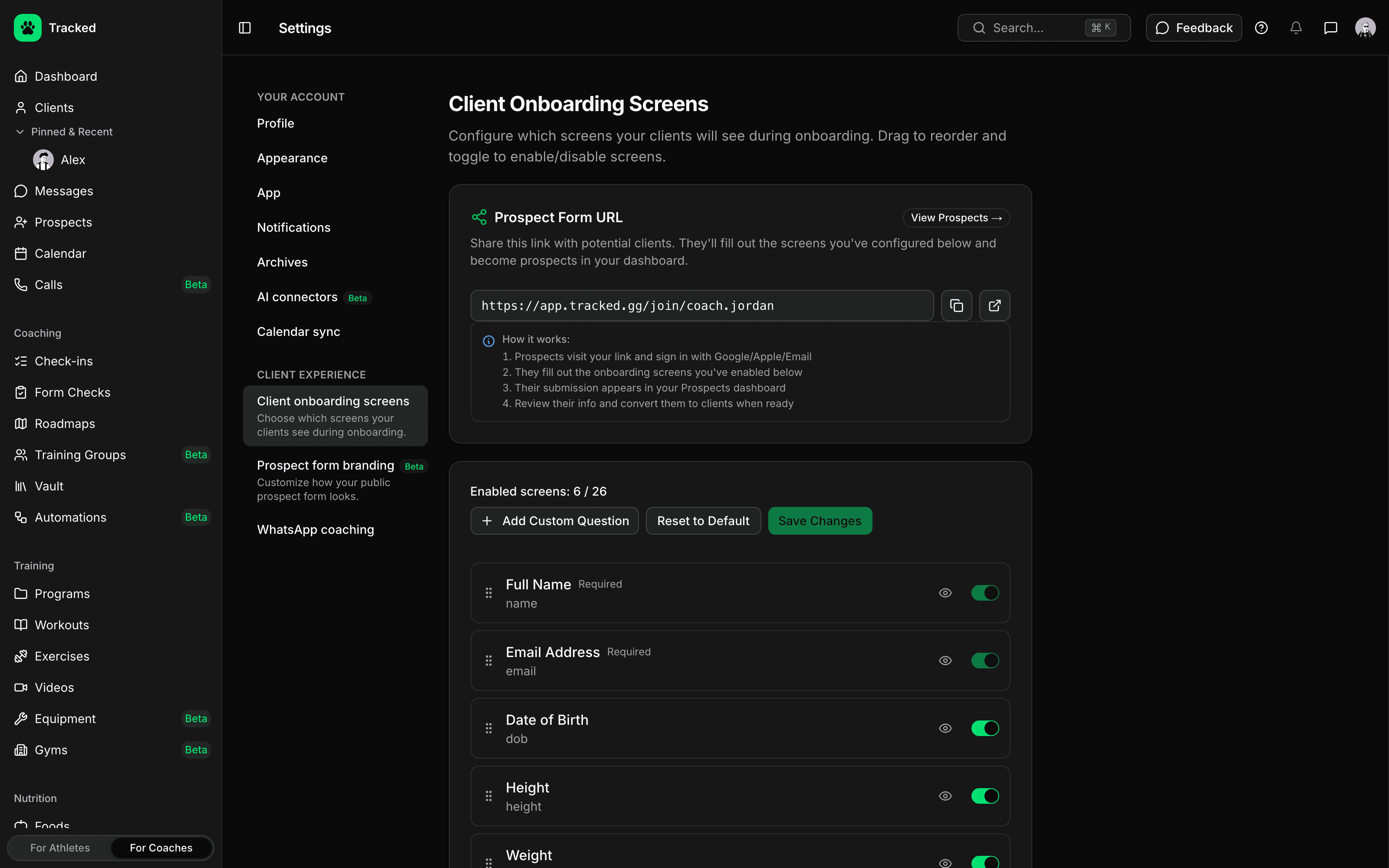
Applicants answer the onboarding screens you choose, so you know their goals and history before the first conversation.
- Goals, current training, split, equipment and injuries
- Cardio, daily steps, food preferences, allergies and eating habits
- Recent physique photos
- Add your own questions, switch screens on or off, and drag them into order
Work Every Lead to a Decision
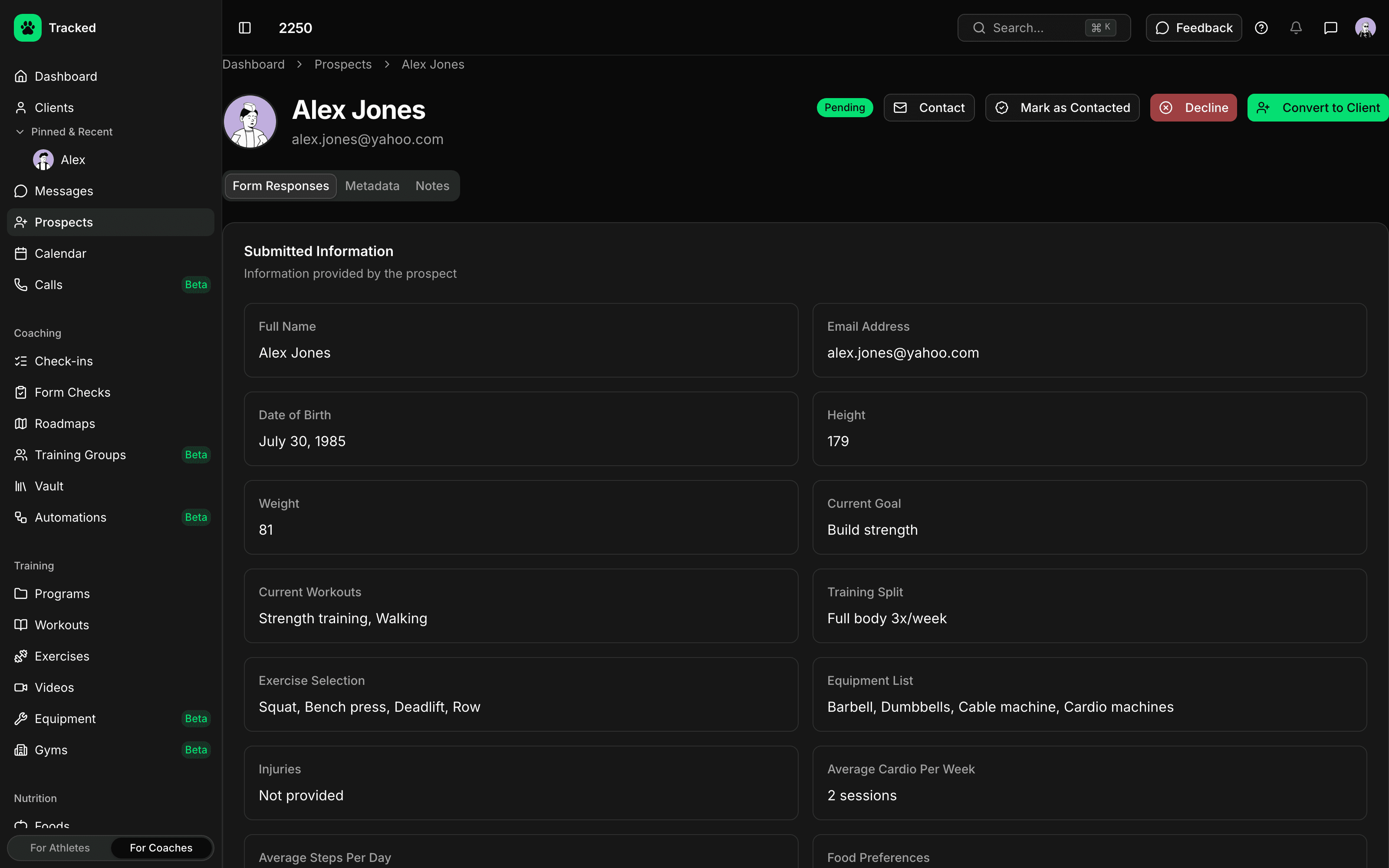
Every application lands in your prospects pipeline with the full set of answers, on the web dashboard or in the Tracked app.
- Pending, contacted, converted and declined, with totals at a glance
- Full responses, submission source and private notes for each prospect
- Email or message a prospect straight from their profile
- Convert to a client in one click, carrying their answers into the client profile
One Link for Your Whole Roster
Moving your coaching onto Tracked? Send everyone the roster link: clients you already coach on Tracked update their details without changing their membership, and anyone new becomes a prospect for you to review.