Plan the Season in Phases
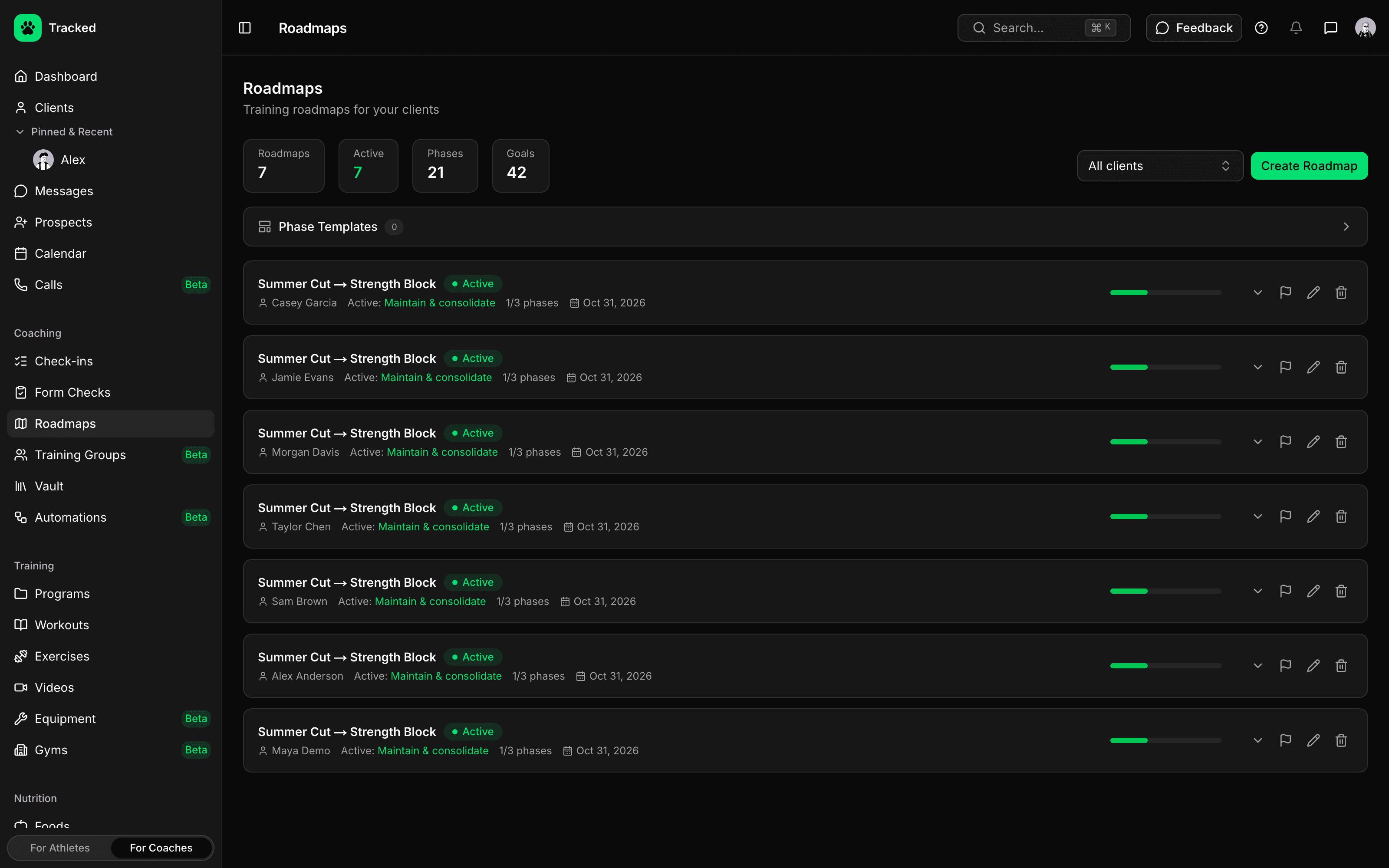
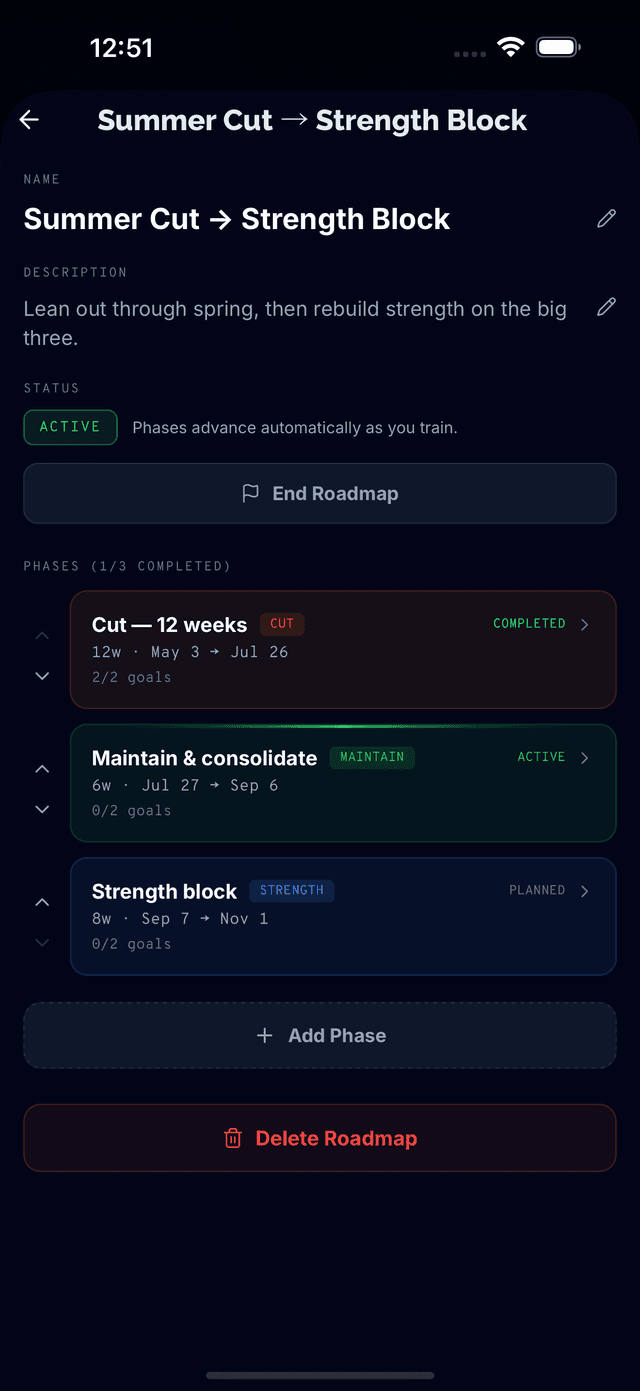
Break a client's plan into blocks — hypertrophy, strength, peaking, cut, deload and more — each with its own dates and training targets.
- Phase types from hypertrophy and strength to peaking, cut, bulk, deload, prep and off-season, or your own
- Set a length in weeks or exact dates, then drag a phase on the timeline to adjust it
- Link a program to a phase so the client can start it when the phase begins
- Save phase templates with duration, RPE, rep range, sets per muscle, frequency and nutrition focus
Goals That Track Themselves
Attach goals to each phase. Bodyweight, step, nutrition and strength goals update from the data your client already logs in Tracked — no manual tallying.
- Bodyweight goals to lose, gain or maintain, with a target weight and weekly rate
- Daily step and nutrition targets, with optional streaks
- Strength and volume goals linked to an exercise in the client's library
- Cardio, measurement and custom goals you update yourself, plus milestones
Build Toward the Day That Matters
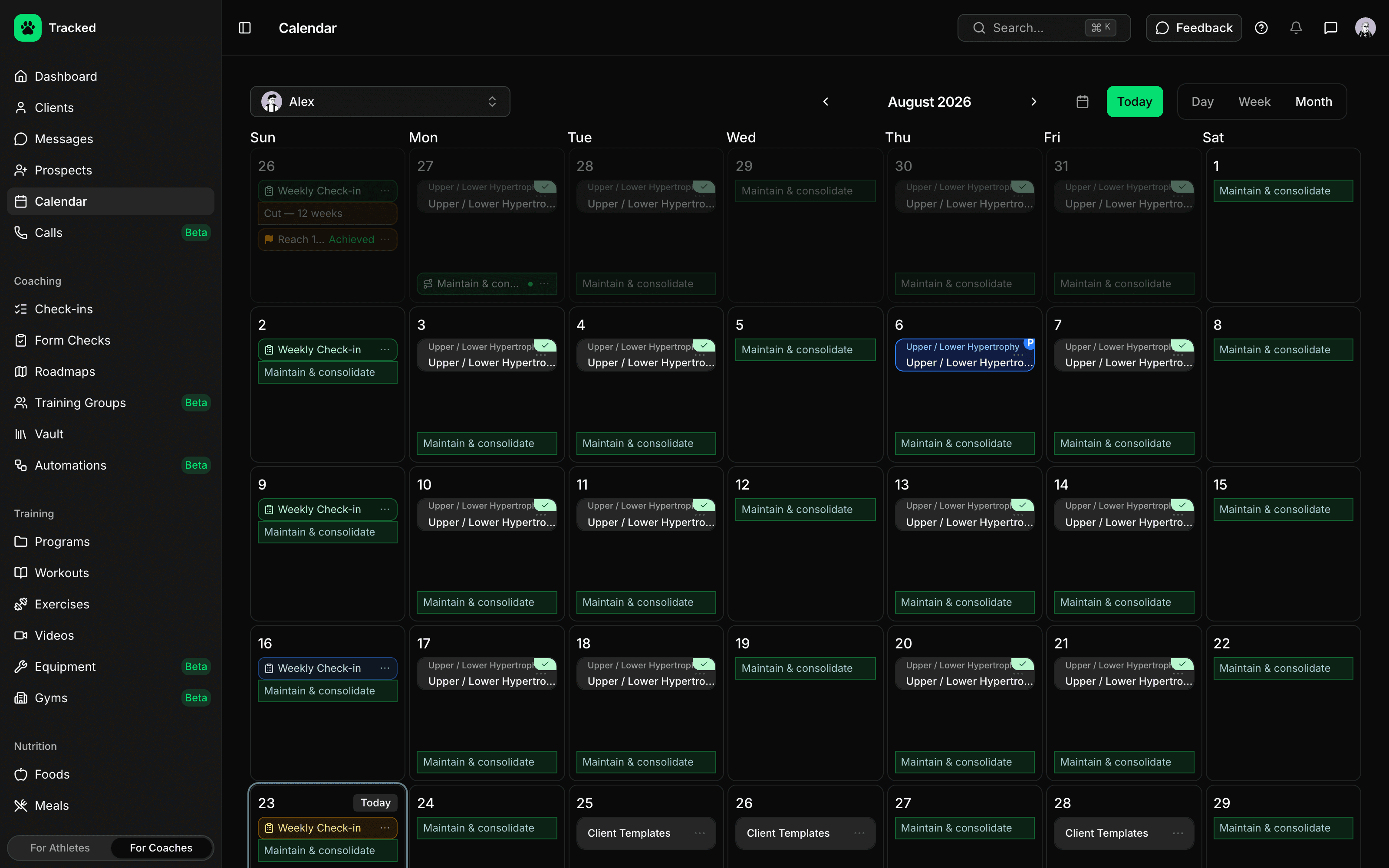
Anchor a roadmap to a meet, show, race or any deadline. You and your client both see how much time is left, and the phases show up on their calendar.
- Target event with a name, date, location and category
- Countdown in weeks and days on the roadmap
- Optionally end the roadmap on the event date
- Roadmap phases appear on the client's calendar alongside their workouts
Week by Week, Not Just Start to Finish
See every week of a roadmap in one grid: the phase it belongs to, the goal target against what the client actually did, and the adjustments you made along the way.
- Weekly timeline with target vs. actual for each phase's goal
- Adjustment notes for each week, tagged cardio, volume, nutrition or supplement
- Roster view of every client's current phase and week
- Switch between a weekly view and a timeline of the whole roadmap
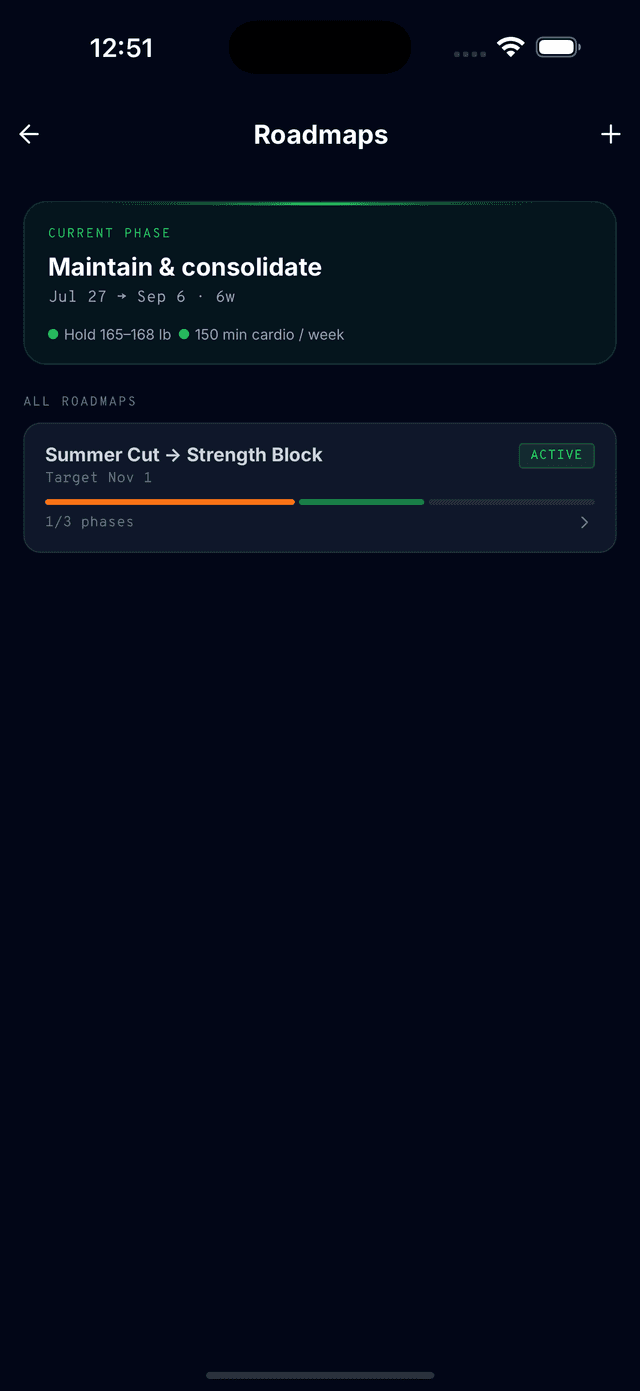
Clients Follow Along in the App
An assigned roadmap goes to your client's Tracked app to accept before it goes live. From then on they see their current phase, goals and event countdown every time they open it. Accepting an assigned roadmap requires Tracked Pro on the client's account.